 Dale Shelabarger
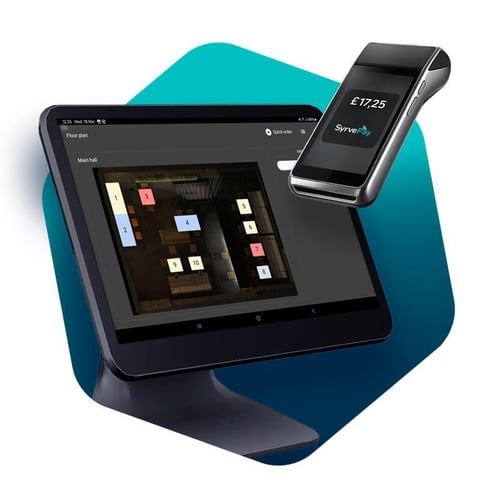
Clients spoke, and we listened. Here's the update on all the major features we've either added or improved, following our users' requests. Our Product Team focused on streamlining workflows, reducing manual effort, and making everyday operations run smoother.
Key System Updates
Procurement Made Easier
Faster ordering with Full Visibility
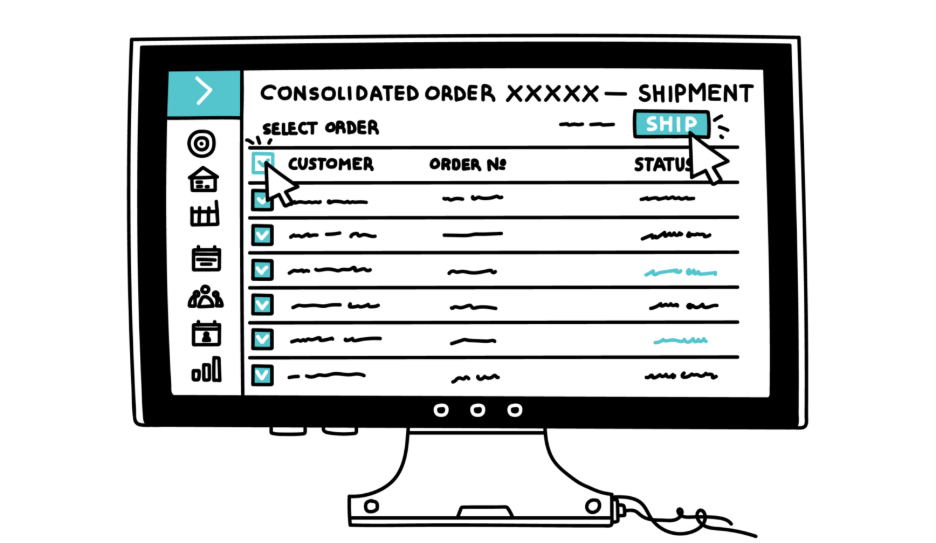
The Purchase Orders section has been redesigned to make procurement faster, clearer, and easier to manage—especially for multi-location businesses. The updates reduce manual work for operators and managers, make it easier to track what’s happening across locations, and strengthen control over the purchasing process.
- All purchase orders are consolidated into a single table, so you can review and manage purchasing in one place.
- Orders are displayed according to user access scope, ensuring each role sees only the orders they are responsible for.
- Orders can be created without workflow for urgent or one-time purchases, helping you act quickly when exceptions happen.
- Improved filtering options help you find the right orders faster, even in high-volume environments.
- Orders awaiting confirmation are highlighted, so nothing gets stuck or overlooked.
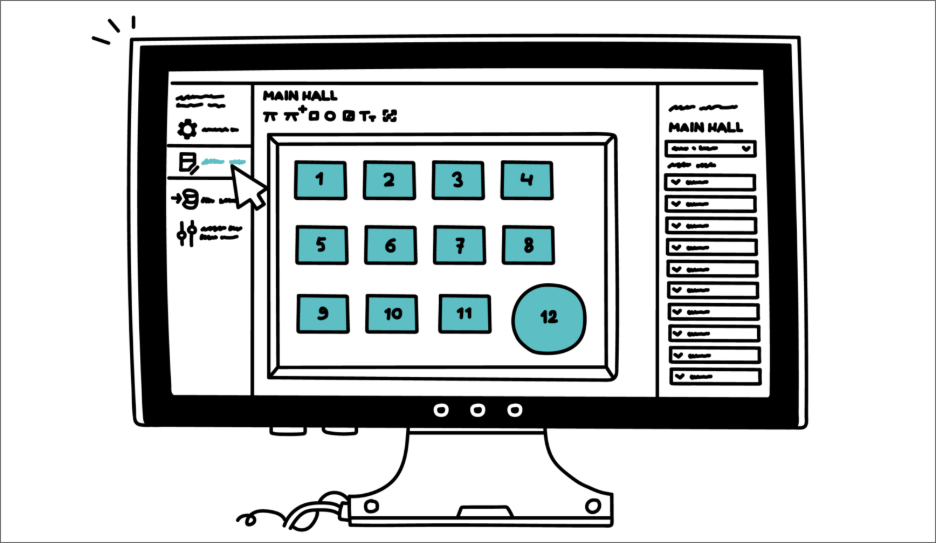
Floor Plan | Updated Interface in Syrve App
The Floor Plan interface has been redesigned with a modern, consistent look. The improved layout offers a clearer, more intuitive workspace for configuring and managing restaurant areas, helping teams work faster and with greater accuracy. The updated interface is available in the System Settings & Maintenance section.
POS Updates
Write-Off Comments on POS
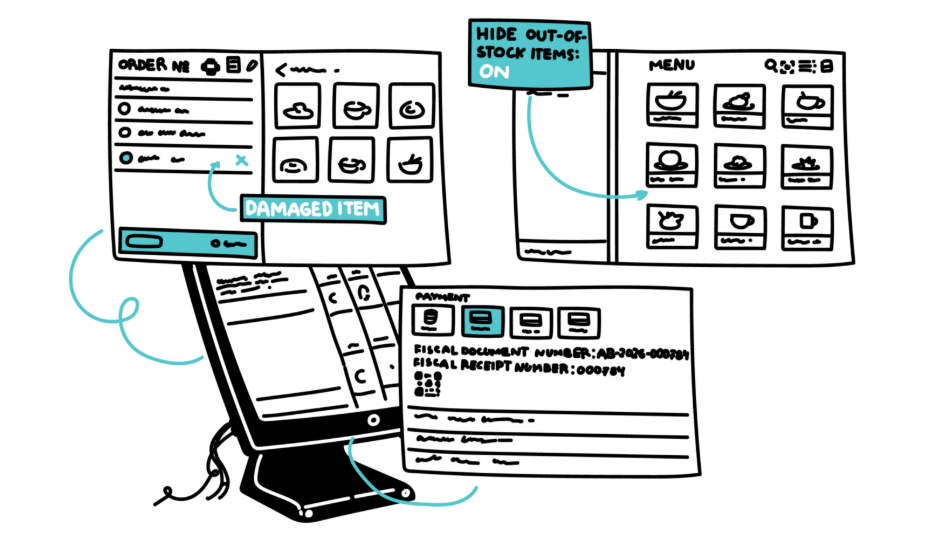
POS now allows users to add a comment when creating a write-off document. Use the comment to specify the reason for the write-off (for example, spoilage, wrong item, or quality issues). This helps reduce fraud risks and improve transparency. All comments are synced with the back office and are visible in reports, making write-off analysis easier and more controlled.
Hide Out-of-Stock Items
Out-of-stock items can now be hidden on the POS. Unavailable items are no longer displayed with a grey cross. When the setting is enabled, items that cannot be sold or that the user does not have permission to sell are not shown on the POS screen. This reduces selection errors, shortens the visible menu, and improves operational efficiency.
Consistent Fiscal Numbers Across POS & Documents
Syrve POS has expanded fiscal numbering support to improve compliance and make fiscal data consistent across documents. POS now stores full fiscal document numbers exactly as issued by the fiscal system, including letters and special characters, and shows the same number consistently on the POS, on receipts, and in reports—improving accuracy in financial records.
In addition, fiscal receipt numbers can now be printed on guest bills, sales receipts, delivery notes, and VAT invoices. This helps keep numbering sequential and gap-free, simplifying audits, accounting reconciliation, and customer dispute resolution.
Learn more about printed document templates →
New Website Styles and Preview Functionality
The website builder has been enhanced to give you more control over your site’s look and help you publish with confidence.
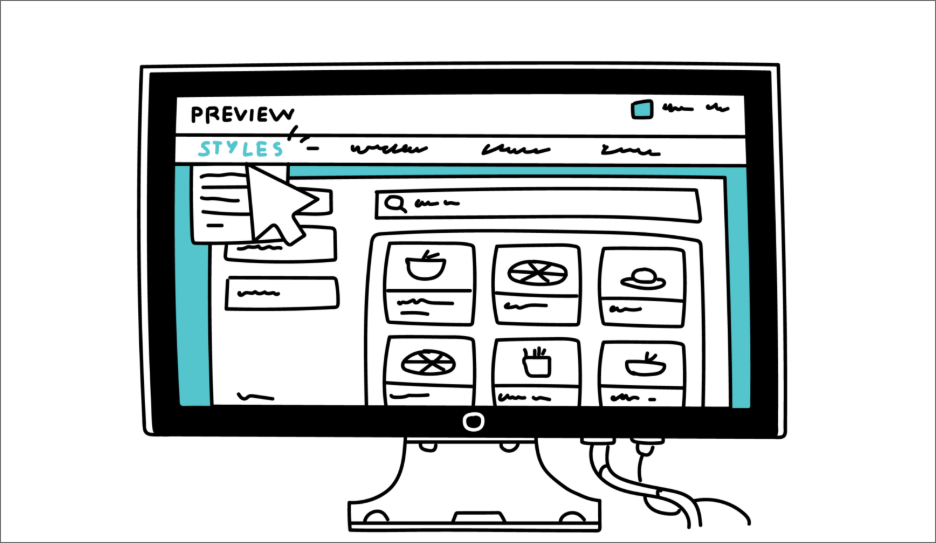
- Choose from up to six ready-to-use website styles.
- Customize styles directly in the website builder.
- Preview changes live before you publish.
- Check the preview in both desktop and mobile views.
Learn more about the website builder →
Call Center: Sell Smarter During Every Call
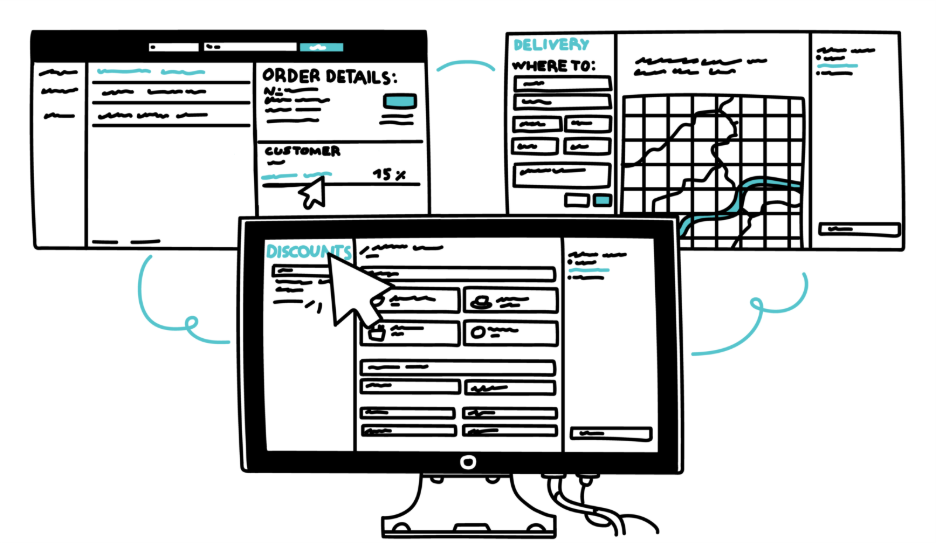
Call Center now supports applying open (custom) discounts when creating orders. Operators can select Custom Discount and apply a variable value, so they can handle special cases immediately without delaying the call or asking for back-office support. The availability of this option is controlled by user permissions, helping you keep discounting consistent and compliant.
Call Center now displays promotions configured in Syrve Loyalty. A new Campaigns tab shows available promotions, combos, and complementary dishes for the selected location, so operators can apply the right offer in seconds while speaking to the customer. This reduces missed promotions and manual checks, helps operators upsell more confidently, and keeps discounts and add-ons applied consistently across the team.
Call Center: Process Orders Faster with Fewer Errors
When editing or confirming an order, if the delivery operator field is empty, it is automatically assigned to the current user handling the order. This removes a frequent manual step, keeps ownership clear, and reduces the risk of orders being left without a responsible operator during peak hours.
Delivery zones are now highlighted directly on the map in Call Center, allowing operators to instantly confirm whether an address is within the service area before finalizing the delivery. This helps avoid incorrect promises, prevents time-consuming follow-ups, and reduces failed deliveries. Available for customers using Call Center with the delivery map enabled.
Learn more about the Call Center →
SyrvePay | Default Terminal Selection and Terminal Name Display
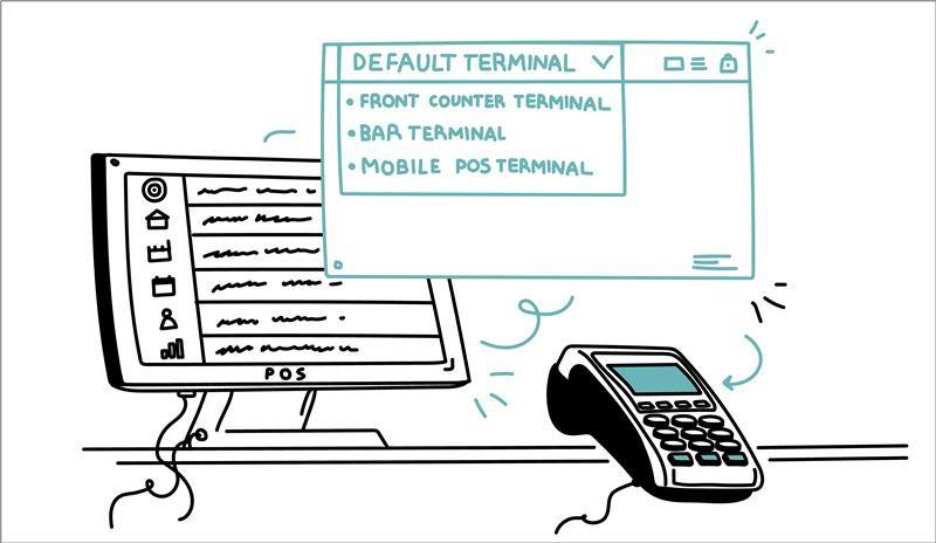
A default payment terminal can now be assigned to each POS in Settings. Previously, terminals were identified only by Terminal ID (TID), and no default terminal could be assigned. This could cause confusion when multiple card machines were connected to the same POS. Terminals are now displayed by their assigned name instead of TID, making it easier for cashiers to identify the correct device.
This reduces errors and improves payment workflow efficiency, especially when multiple terminals are used with one POS.
Tips & Service Charges
Syrve App now allows flexible mapping of tips and service charges in the chart of accounts. Users can configure whether tips and service charges are posted to:
- Revenue accounts
- Liability accounts (for example, settlements with employees)
- Local database storage has been migrated from file-based storage to SQL, increasing speed and reliability.
- Added support for VAT not included in the item cost.
- Optimized the integration flow between Syrve and Como.
- Items with size variations are exported as a single menu item with multiple size options, keeping the menu cleaner and easier to manage.
- You can now initiate menu syncing from the Deliverect side, so you can refresh the menu without starting the sync from Syrve.
- Local database added to store orders in case of internet connection loss, ensuring invoice archiving.
- QR codes now print immediately and are no longer dependent on internet connectivity.
- Optional cloud invoice archiving service available as a paid add-on.
This supports compliance with local accounting practices, particularly in EU and UK markets, where tips are typically treated as liabilities rather than revenue. The configuration can be adjusted according to country-specific legal and financial requirements.
Learn more about tips in Syrve App →
Integrations Updates
Como | Loyalty Integration Improvements
The Como integration has been enhanced to improve performance and functionality.
These updates improve system performance, ensure more accurate tax handling, and enhance overall integration stability.
Xero Integration: Easier Tracking Category Mapping
You can now set up tracking category mapping in the Xero integration settings, so transactions go to the right tracking categories in Xero, the accounting app. This reduces manual edits and helps keep reporting consistent.
Syrve Live API | Guest Bill Printing
A new method has been added to the Syrve Live API to support guest bill printing from external systems before ordering closure. This helps integrations print the guest bill earlier in the workflow, without requiring the order to be closed first.
Deliveroo | Multi-Menu Mapping
Support for multi-menu mapping has been added to the Deliveroo integration in Syrve App, making it easier to map and manage multiple menus for your Deliveroo delivery channel.
*This functionality is available under a separate license and can be activated upon request.
More Flexible Menu Sync for Deliverect
Deliverect helps you connect Syrve with delivery platforms by keeping your menu and orders in sync through a single integration—so you can manage your Syrve menu in Deliverect with fewer manual steps:
Regional Updates
ZATCA Plugin Improvements (KSA)
The ZATCA plugin has been updated to improve stability and compliance with Saudi e-invoicing requirements.
These improvements enhance reliability and support uninterrupted fiscal operations.
Ukraine | API Event / Excise Stamp Scanning
A new Front-End API event has been added that is triggered at the moment an excise stamp is scanned and added to a dish. The event works for both sales and returns.
Previously, validation issues such as duplicate excise stamps were detected only at the time of order closure. Now, stamps are validated immediately when scanned, preventing errors before the order is closed.
This improves compliance control and reduces operational disruptions related to excise goods handling.
Jordan | Fiscal Improvements for B2B Sales
Syrve App introduces enhanced fiscal management for B2B operations in Jordan, helping businesses strengthen compliance, improve document control, and simplify work across multiple locations.
A dedicated Fiscal Document Number field has been added to expenditure invoices used for B2B sales, and B2B invoices now follow a separate fiscal numbering sequence to ensure continuous numbering without gaps, in line with local regulations. At the same time, internal inter-store transfers continue to use the standard document numbering.
Users can configure a custom document prefix and set the starting value for fiscal document numbers, while chains can filter documents by contractor type and export document lists to Excel.
Learn more about setting up and handling inventory documents at Syrve App →
And that was a Winter 2025/2026 in a nutshell for Syrve. We should point out that many of the improvements were inspired by customer and client feedback. Without this, refining our platform to its current level of excellence would simply not have been possible. Our team is already working on new updates for 2026. We can’t wait to unveil them!